Latent Realms
Launch app
GPU sharing client

Share your GPU, earn Neurons.

Run the Latent Realms desktop client, flip on GPU sharing, and your idle NVIDIA card starts earning Neurons — the same credits that pay for your own generations. Your own jobs always run free on your own hardware.

Choose your platform

Enter the sharing network

Linux is ready now and the Windows beta just landed. macOS is being forged for a future release.

.debReady · v0.1.0

Linux .deb

Debian / Ubuntu · x86_64

.exeBeta · v0.1.0

Windows .exe

Windows 10/11 · x86_64 · NVIDIA

Beta build, not yet code-signed: Windows SmartScreen will warn on first run — choose “More info”, then “Run anyway”. Installs per-user (no admin needed).

.dmgIn the forge

macOS .dmg

Coming soon

Coming soon
Meet the client

One switch, live telemetry

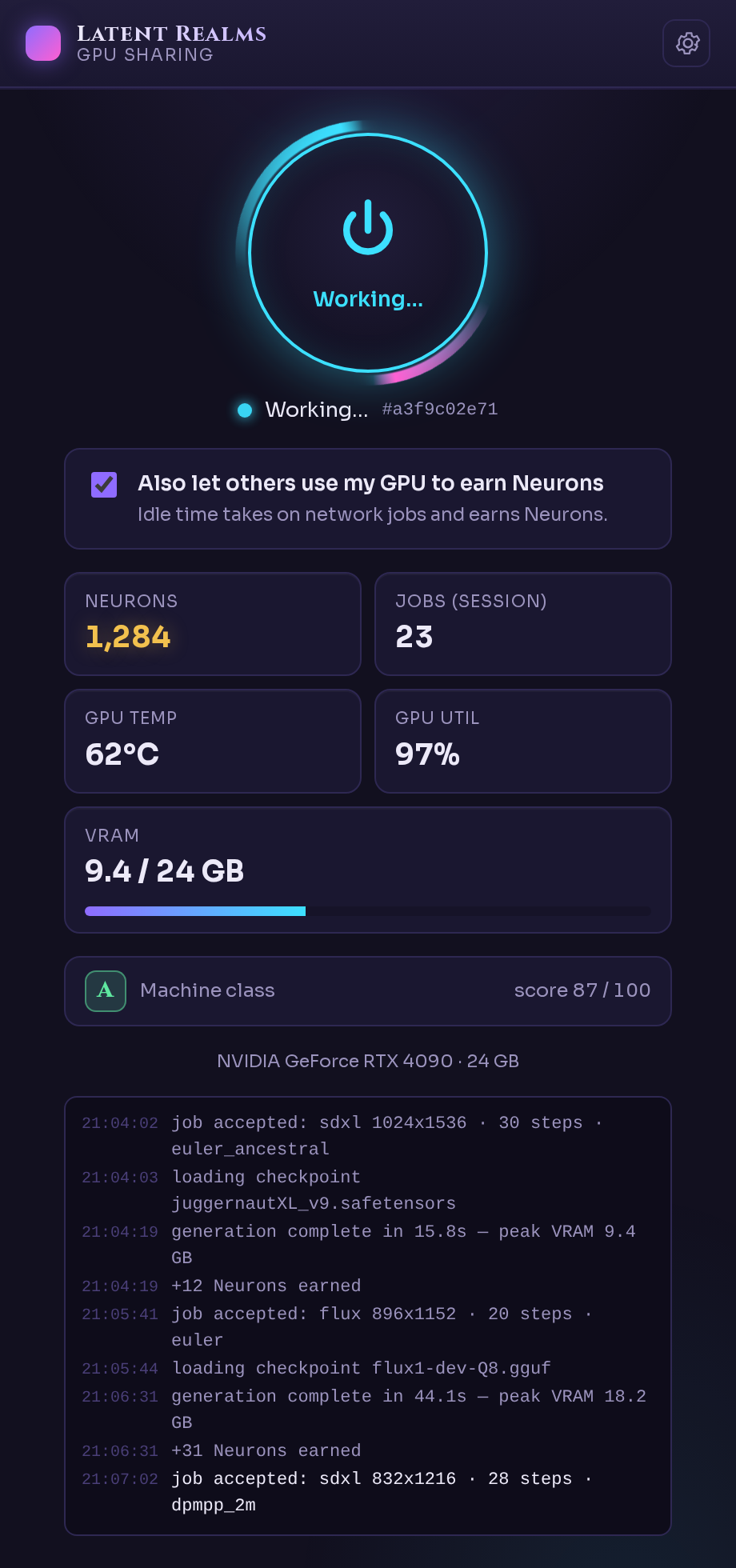
A small control room for your card — flip the ring to join the network, watch it work in real time.

  • One-click sharingthe power ring connects your GPU; uncheck sharing and it runs only your own jobs.
  • Live telemetrytemperature, utilization, VRAM and per-session job count at a glance.
  • Neurons as you goevery network job credits your balance the moment it finishes.
  • A real activity logeach job, checkpoint load and completion, timestamped and scrollable.
  • Game-awaresharing can auto-pause when you launch a game and resume when you quit.
Latent Realms GPU Sharing client while generating: glowing power ring in the Working state, GPU temperature, utilization and VRAM stats, Neurons balance, and a timestamped activity log.
Before you begin

System requirements

A short checklist for joining the worker network.

  • NVIDIA GPU with CUDA support
  • Linux or Windows (beta) · x86_64
  • A free Latent Realms account (sign in from the client)
Install · Linux
# Download the .deb, then install it with apt:
sudo apt install ./LatentRealms-GPU-Sharing_linux_x86_64.deb
# Launch Latent Realms from your app menu, sign in, and flip "Share my GPU".
Install · Windows (beta)
# Run the installer (per-user, no admin). SmartScreen will warn because the
# beta is not yet code-signed: choose "More info" -> "Run anyway".
LatentRealms-GPU-Sharing_windows_x86_64-setup.exe
# Launch Latent Realms from the Start menu, sign in, and flip "Share my GPU".
The exchange

Turn idle GPU time into Neurons.

Sign in with your Latent Realms account, then flip “Share my GPU” in the client. While your card is idle it takes on network jobs and earns Neurons back. Your own generations always run free on your own hardware.

Idle GPUShare spare compute
NeuronsEarn generation credit